Price: $111.00 - $105.63
(as of Nov 08, 2026 17:45:07 UTC – Details)
Well hello there! If you’d like to get in touch with me, please feel free to give me a call at 0086 18652532198, or send a message with the Comment form down below. Either way, I’ll be in touch shortly!
Or Send US An Email : ccwto.net@gmail.com . Either way, I’ll be in touch shortly!
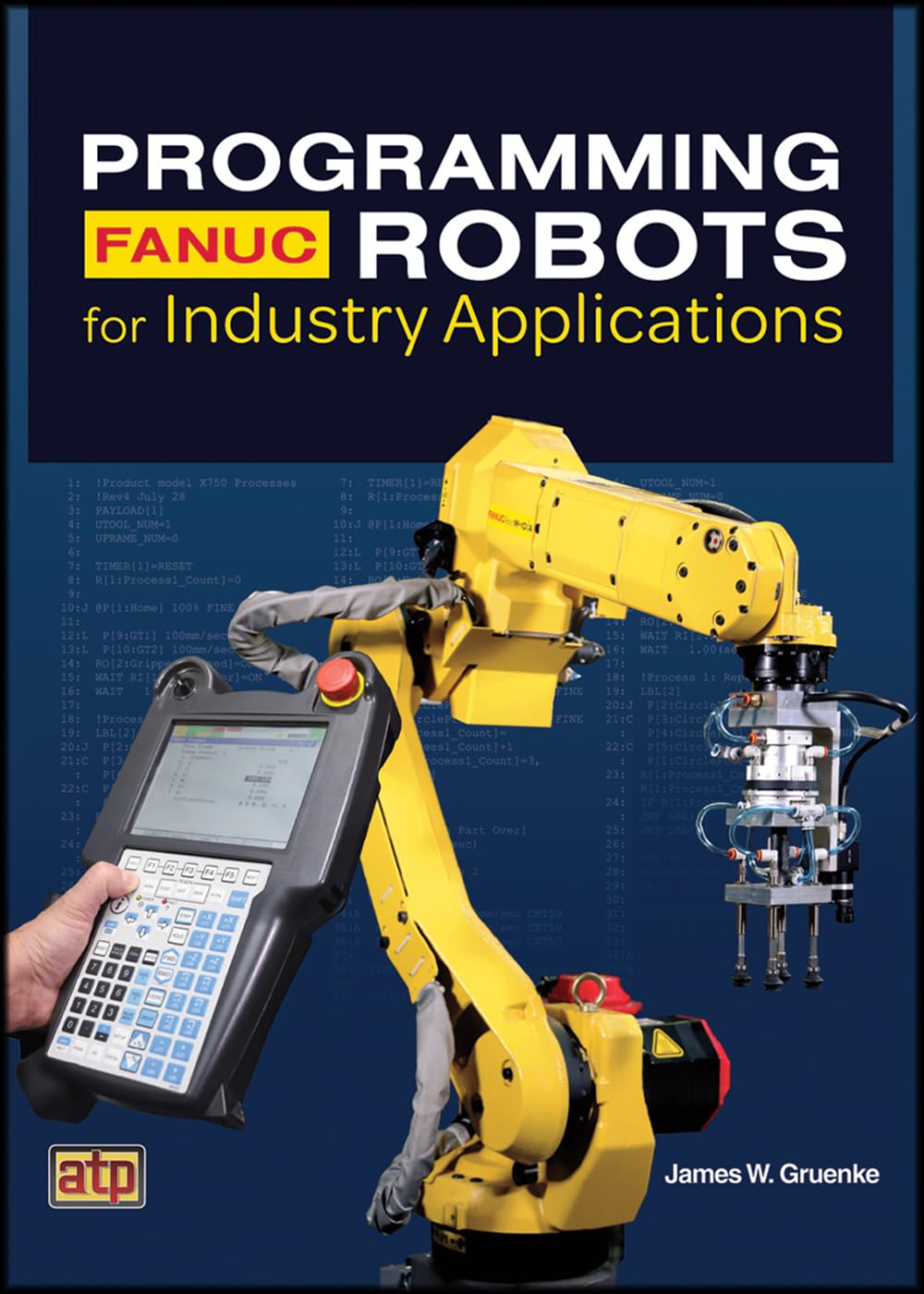
Programming FANUC® Robots for Industry Applications is an introduction to programming FANUC® industrial robots using the handheld teach pendant. This user-friendly text/workbook describes the robot cell environment, robot components, basic operation, safety considerations, and programming concepts. Step-by-step procedures walk the learner through setting up, developing, and modifying programs. Lab exercises provide step-by-step instructions for guided practice of selected procedures for assembly, pick-and-place, and other industrial processes. The fi nal chapter addresses the use of ROBOGUIDE® software.
Learners will be able to establish robot frames; determine the parameters for movements, commands, and instructions; interact with other cell equipment; and implement features for effi cient and complex programs.
CONTENTS
• Industrial Robots
• Robot Cell Components
• Robot Safety Standards
Robot Jogging
• Powering Up Robots
• Comparing Jogging Methods
• Jogging Robots
Robot Frames
• Referencing Frames
• Creating Tool Frames
• Creating User Frames
• Creating Jog Frames
Starting Programs
• Identifying File Types
• Setting Up TP Programs
• Creating Payload Schedules
• Using Editing Commands
• Programming Movement Lines
Comparing Movement Types
• Selecting Movement Settings
• Programming Movement Types
Instruction Lines
• Selecting Frames
• Using the Program Adjust Procedure
• Directing Program Execution
• Fine-Tuning Program Timing
• Adding Program Notes
Registers
• Utilizing Registers
• Utilizing Position Registers
Offsetting Position Registers
• Offset Programming
• Resetting an Offset Position Register
Inputs/Outputs and End Effectors
• Utilizing Inputs/Outputs
• Integrating End Effectors
ROBOGUIDE® Software NEW
• Creating a ROBOGUIDE Cell
• Navigating ROBOGUIDE
• Programming in ROBOGUIDE
From the Publisher

Programming FANUC Robots for Industry Applications introduces learners to programming industrial robots with a handheld teach pendant. Written as a user-friendly text/workbook, it explains the robot cell environment, core robot components, basic operation, safety considerations, and essential programming concepts needed to work effectively on the shop floor.
Step-by-step procedures guide learners through setting up, developing, modifying, and improving robot programs. The programming skills apply to common industrial tasks such as assembly, pick-and-place, and welding, as well as other automated processes. Learners practice establishing robot frames, selecting the right instruction parameters, and using features that support more reliable and efficient operation.
Each chapter ends with review questions to check comprehension. Guided lab exercises provide structured, hands-on practice, and online demonstration videos in the learner resources reinforce key commands and parameters by showing how they work in real programming scenarios.


Programming FANUC Robots for Industry Applications includes access to online learner resources that reinforcecontent and enhance learning.
The Learner Resources include the following:
Quick Quizzes that provide interactive questions for each section, with embedded links to highlighted content within the text/workbook Flash Cards that provide a self-study/review of common terms and definitions Lab Exercises that consist of printable PDF files of the end-of-chapter lab exercises and are convenient for in-lab use Reference Sheets that include useful descriptions and menu navigation hints for common programming functions Media Library that consists of videos that reinforce text/workbook content Internet Resources that provide access to additional resources to support continued learning
Add to Cart
Add to Cart
Add to Cart
Add to Cart
Add to Cart
Customer Reviews
4.5 out of 5 stars 15
4.8 out of 5 stars 77
3.8 out of 5 stars 15
4.6 out of 5 stars 444
5.0 out of 5 stars 1
Price
$119.85$119.85 $188.75$188.75 $82.00$82.00 $108.68$108.68 $100.09$100.09
Programmable Logic Controllers: Principles and Applications teaches the core concepts of PLC hardware and programming and shows how to apply them to real-world industrial control and automation tasks. A technician-level approach to the instrumentation and control techniques used in advanced manufacturing and automation. Applications are illustrated throughout all elements of a control system. Part 1: Instrumentation and Part 2: Process Control. Programming Using Studio 5000 and FactoryTalk View ME provides step-by-step instruction for building and troubleshooting Allen-Bradley Logix PLC projects and FactoryTalk View ME HMI applications for industrial automation systems. Covers electrical motor controls and integrated systems. Includes theory, wiring, troubleshooting, and real-world applications. Ideal for students and professionals seeking hands-on skills in motor control and automation. Helps technicians install, start up, program, test, and troubleshoot industrial motor drives. Learn drive fundamentals, field-proven procedures, and a step-by-step approach to diagnosing faults and reducing downtime.
Publisher : American Technical Publishers
Publication date : April 26, 2021
Edition : 1st
Language : English
Print length : 240 pages
ISBN-10 : 0826934129
ISBN-13 : 978-0826934123
Item Weight : 1.3 pounds
Dimensions : 8.38 x 0.4 x 10.88 inches
Best Sellers Rank: #527,256 in Books (See Top 100 in Books) #139 in Vocational Education #4,152 in Education (Books)
Customer Reviews: 4.6 4.6 out of 5 stars (58) var dpAcrHasRegisteredArcLinkClickAction; P.when(‘A’, ‘ready’).execute(function(A) { if (dpAcrHasRegisteredArcLinkClickAction !== true) { dpAcrHasRegisteredArcLinkClickAction = true; A.declarative( ‘acrLink-click-metrics’, ‘click’, { “allowLinkDefault”: true }, function (event) { if (window.ue) { ue.count(“acrLinkClickCount”, (ue.count(“acrLinkClickCount”) || 0) + 1); } } ); } }); P.when(‘A’, ‘cf’).execute(function(A) { A.declarative(‘acrStarsLink-click-metrics’, ‘click’, { “allowLinkDefault” : true }, function(event){ if(window.ue) { ue.count(“acrStarsLinkWithPopoverClickCount”, (ue.count(“acrStarsLinkWithPopoverClickCount”) || 0) + 1); } }); });